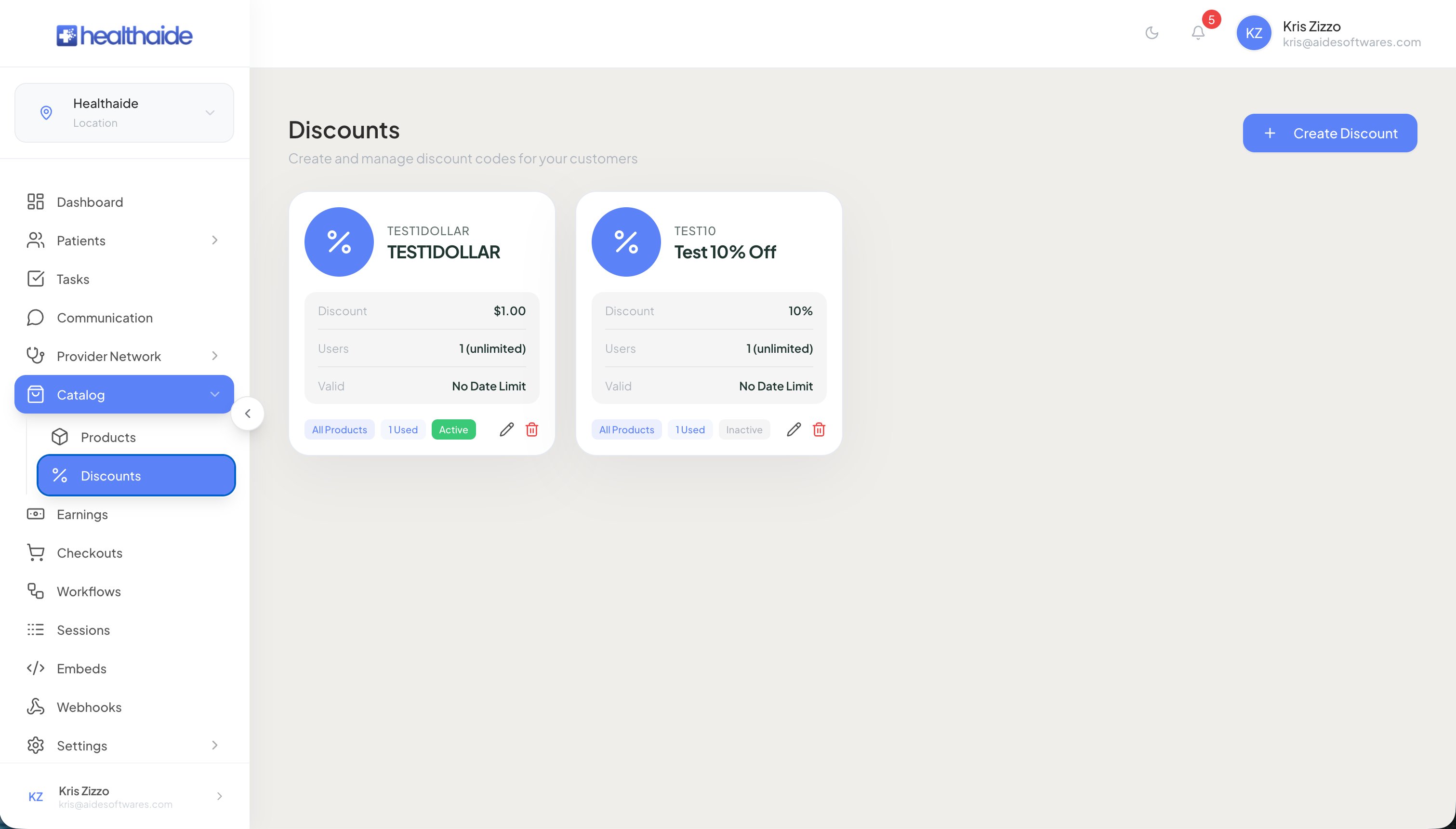
Create a code, set the amount and limits, choose which products it applies to, and the system blocks any discount that would drop below your cost.
Before you start
- Sign in to your clinic portal as an owner or admin.
01
Open the discount codes area from the Products section.
02
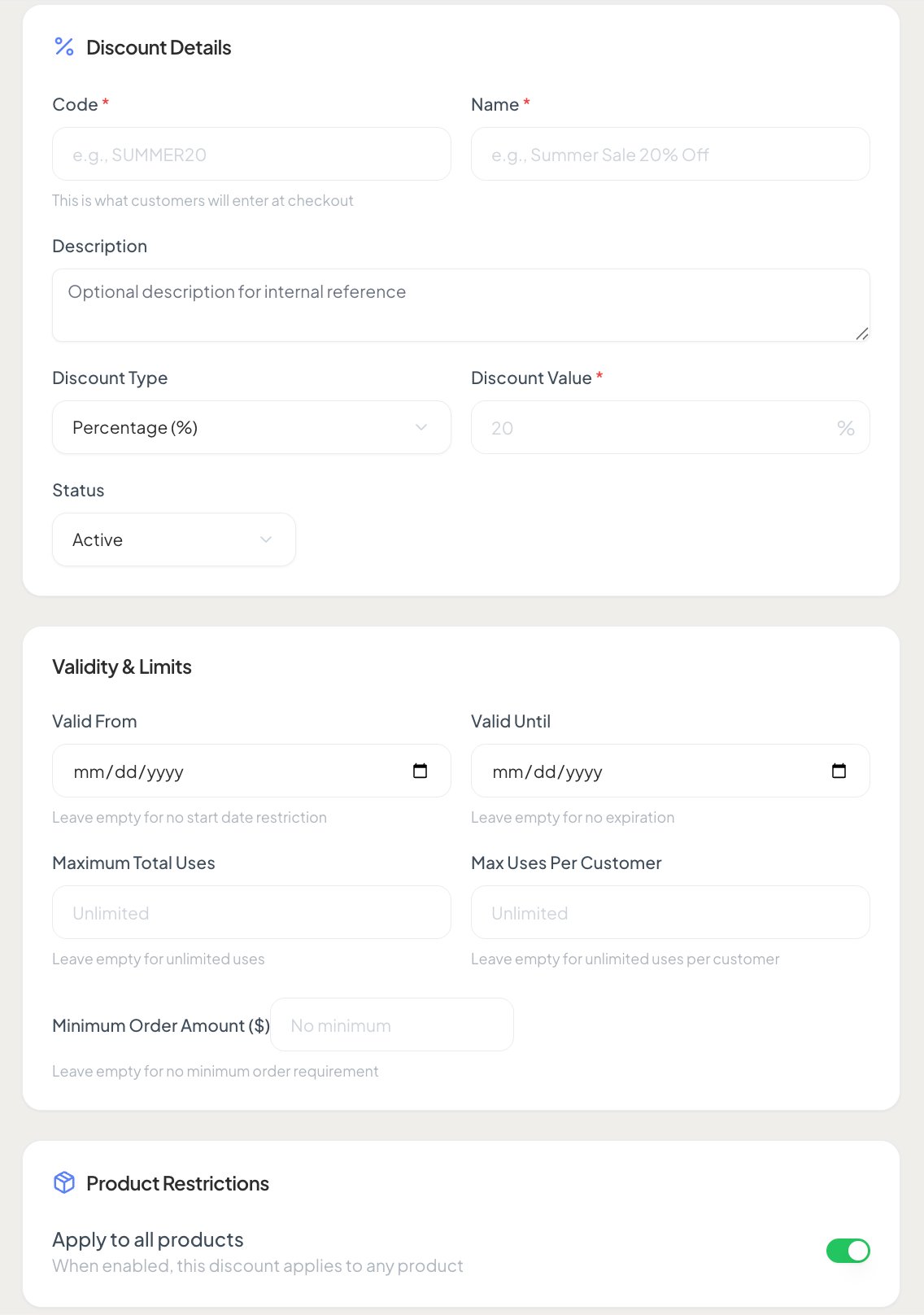
Enter the code text and give it a name, for example a staff code or a holiday code.
03
Set the discount as a percentage or a flat amount, then toggle the code active.
04
Set the valid from and valid to dates if the code should run only for a window.
05
Set the maximum total uses if the offer is limited, for example the first fifty patients. The system stops the code once the limit is reached.
06
Set the maximum uses per customer.
07
Set a minimum order amount if required.
08
Choose all products, or toggle off all products and select specific medications.
09
Create the code. It appears in your list as active with a running count of uses.
Note
The discount comes out of your profit at the full retail rate. The system will not let a discount drop a sale below your cost.