Video library
21 videos

Dashboard explained
A complete walkthrough of the Healthaide dashboard, what each panel shows, how to read your key metrics, and how to navigate to any area of the platform from here.
Getting Started and Account Access
Patients explained
A full walkthrough of the Patients section, adding patients, navigating their profile, reviewing history, and managing their care from one place.
How Patients Use the System
Encounters and Tags explained
See how to create and manage patient encounters, attach clinical notes, and use tags to organize and filter your patient list efficiently.
How Patients Use the System
Tasks explained
Understand how the Tasks system works in Healthaide, creating tasks, assigning them to staff, setting due dates, and using tasks to manage your clinical workflow.
Getting Started and Account Access
Understanding the communications page
A walkthrough of the Communications page from the patient perspective, how messages are sent, received, and tracked inside the Healthaide platform.
Messaging and Patient Support
Products explained
Learn how to create and manage products in Healthaide, setting pricing, variants, descriptions, and how products connect to patient checkouts.
Pricing Your Products
Discounts explained
Learn how to create, manage, and apply discount codes and promotional pricing inside Healthaide, including expiry rules and per-patient restrictions.
The CRM and Marketing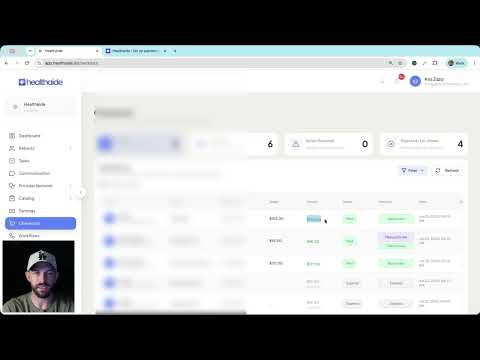
Earnings and Checkouts explained
Understand how earnings are calculated, how checkout records are created, and how to track revenue and pending payouts in Healthaide.
Getting Paid
Set up your custom email sending domain
Learn how to configure a custom email sending domain in Healthaide so that system emails to your patients come from your own domain instead of the default Healthaide address.
Getting Started and Account Access
New: set a custom favicon in General Settings
A new Favicon Logo setting lets you replace the default Healthaide icon in the browser tab with your own brand icon. This update walks through where to find it and how it differs from your Icon Logo.
Getting Started and Account Access
New patient workflow interface, patient UX update, and featured treatment
Two updates in one: a redesigned patient workflow checkout and intake experience, plus a new Featured Treatment feature that lets you highlight a specific treatment at the top of a workflow checkout.
How Patients Use the System
Clinic Tasks UI and functionality update
A redesigned Tasks page with new task cards, plus expanded task functionality: attachments, assignees, priorities, due dates, patient links, overdue notifications, a completed section, and a list view.
Getting Started and Account Access
Clinic communications update: conversation actions and recent conversations
The Communications page now has a Recent Conversations view across all channels, plus in-conversation actions for patient chats: create a task, add a note, mark unread, escalate to the provider network, and manage tasks from the sidebar. Direct messages also gain named group chats and file sharing.
Messaging and Patient Support
Customize treatment categories for workflows
A new Custom Categories feature under Catalog lets you group treatments into browsable tabs (like Popular, New, Orals, or Injectables) on the workflow checkout, each with its own name, emoji, color, assigned treatments, and display order.
How Patients Use the System
Healthaide system notifications in clinic settings
Where to find and manage the automated system notifications Healthaide sends — new leads, exam incomplete, exam results, refill reminders, and more — including which you can toggle on or off and which are locked for patient care.
Getting Started and Account Access
SEO metadata for workflow links
Workflow links now let you set your own SEO and sharing metadata — the title, description, and image that appear when your link is shared or found in search — from the SEO and Sharing Settings on each workflow.
Your Website and Links
Exporting financial and lead attribution reports
The Dashboards page now exports a multi-tab CSV of your financials and lead data — transactions, lead source trends, medication and discount breakdowns, active memberships — plus per-lead-source drill-downs for marketing attribution, all with PHI removed.
The CRM and Marketing
Custom tracking URLs and URL exporting
Create lead-source tracking links right inside a workflow — no manual UTM setup — using URL Parameter Presets, then export every workflow link as a CSV so each checkout is attributed to its source in the dashboard.
The CRM and Marketing
Adding your providers and medical director
A training walkthrough for clinics running their own clinical team: switch to Own Provider Network, invite your medical director, add providers with the right permissions, and complete provider onboarding (NPI, state licenses, signature, calendar, and approval).
Getting Started and Account Access
How to place a manual order
A training walkthrough for approved providers in their own provider network: how to create a manual order from the Pharmacy Network tab, handle card-on-file vs. payment links, bill the patient or the clinic, add patient and provider notes, and track the order through fulfillment.
Getting Started and Account Access
Patient address management: how patients add and manage shipping addresses
A training walkthrough of how patients add, label, change, and delete shipping addresses in the patient dashboard, how the primary address works at checkout, and why patients must confirm their address before every order.
Shipping and Delivery