 Clinic portal
 Healthaide Knowledge Base
Everything you need to run your clinic.
Step by step SOPs, short videos, and answers to common questions. Searchable, current, and built for your team.
Start here
New to Healthaide? Follow the onboarding guide.
Watch a walkthrough
Short videos that show every part of the platform.
Search the FAQ
Quick answers to common questions from clinic owners and staff.
Latest updates
View all Latest
Custom tracking URLs and URL exporting
Create lead-source tracking links right inside a workflow — no manual UTM setup — using URL Parameter Presets, then export every workflow link as a CSV so each checkout is attributed to its source in the dashboard.

Exporting financial and lead attribution reports
The Dashboards page now exports a multi-tab CSV of your financials and lead data — transactions, lead source trends, medication and discount breakdowns, active memberships — plus per-lead-source drill-downs for marketing attribution, all with PHI removed.

SEO metadata for workflow links
Workflow links now let you set your own SEO and sharing metadata — the title, description, and image that appear when your link is shared or found in search — from the SEO and Sharing Settings on each workflow.

Healthaide system notifications in clinic settings
Where to find and manage the automated system notifications Healthaide sends — new leads, exam incomplete, exam results, refill reminders, and more — including which you can toggle on or off and which are locked for patient care.

Customize treatment categories for workflows
A new Custom Categories feature under Catalog lets you group treatments into browsable tabs (like Popular, New, Orals, or Injectables) on the workflow checkout, each with its own name, emoji, color, assigned treatments, and display order.

Clinic communications update: conversation actions and recent conversations
The Communications page now has a Recent Conversations view across all channels, plus in-conversation actions for patient chats: create a task, add a note, mark unread, escalate to the provider network, and manage tasks from the sidebar. Direct messages also gain named group chats and file sharing.

Clinic Tasks UI and functionality update
A redesigned Tasks page with new task cards, plus expanded task functionality: attachments, assignees, priorities, due dates, patient links, overdue notifications, a completed section, and a list view.

New patient workflow interface, patient UX update, and featured treatment
Two updates in one: a redesigned patient workflow checkout and intake experience, plus a new Featured Treatment feature that lets you highlight a specific treatment at the top of a workflow checkout.

New: set a custom favicon in General Settings
A new Favicon Logo setting lets you replace the default Healthaide icon in the browser tab with your own brand icon. This update walks through where to find it and how it differs from your Icon Logo.

Set up your custom email sending domain
Learn how to configure a custom email sending domain in Healthaide so that system emails to your patients come from your own domain instead of the default Healthaide address.

Tasks explained
Understand how the Tasks system works in Healthaide, creating tasks, assigning them to staff, setting due dates, and using tasks to manage your clinical workflow.

Products explained
Learn how to create and manage products in Healthaide, setting pricing, variants, descriptions, and how products connect to patient checkouts.

Patients explained
A full walkthrough of the Patients section, adding patients, navigating their profile, reviewing history, and managing their care from one place.

Encounters and Tags explained
See how to create and manage patient encounters, attach clinical notes, and use tags to organize and filter your patient list efficiently.
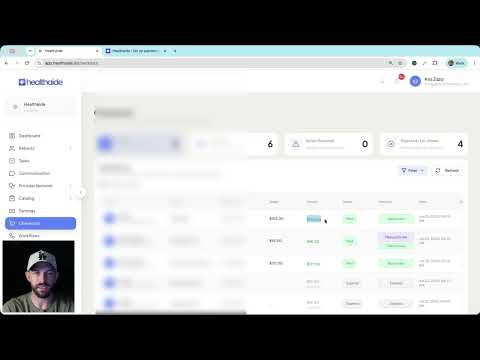
Earnings and Checkouts explained
Understand how earnings are calculated, how checkout records are created, and how to track revenue and pending payouts in Healthaide.

Discounts explained
Learn how to create, manage, and apply discount codes and promotional pricing inside Healthaide, including expiry rules and per-patient restrictions.

Dashboard explained
A complete walkthrough of the Healthaide dashboard, what each panel shows, how to read your key metrics, and how to navigate to any area of the platform from here.

Understanding the communications page
A walkthrough of the Communications page from the patient perspective, how messages are sent, received, and tracked inside the Healthaide platform.
Browse by category
14 categories, 228 articles
Set up your account and get your practice up and running.
Understand platform fees, invoices, and billing cycles.
Learn how and when your earnings are deposited.
Set competitive prices for consultations and treatments.
See the platform through your patients' eyes.
Track orders and manage delivery expectations.
Communicate clearly and efficiently with your patients.
Customize your public profile and share your practice link.
Engage patients and grow your practice with built-in tools.
Expand your coverage to new states and service areas.
Manage lab orders, hormone data, and patient identity checks.
Connect your electronic medical records system seamlessly.
Understand data rights, HIPAA compliance, and privacy rules.
Review approved medications, dosing, and clinical protocols.

Ask Healthaide
Knowledge base assistant
Hi, I am your Healthaide assistant.
Ask me anything about running your clinic on Healthaide. I will answer from the knowledge base and cite my sources.