Open a product, pick a variant, and set your price by margin, profit, or markup. Your profit column is what reaches your account.
Before you start
- Sign in to your clinic portal as an owner or admin.
- A 40 to 50 percent margin is a safe place to begin, then adjust after you compare your market.
01
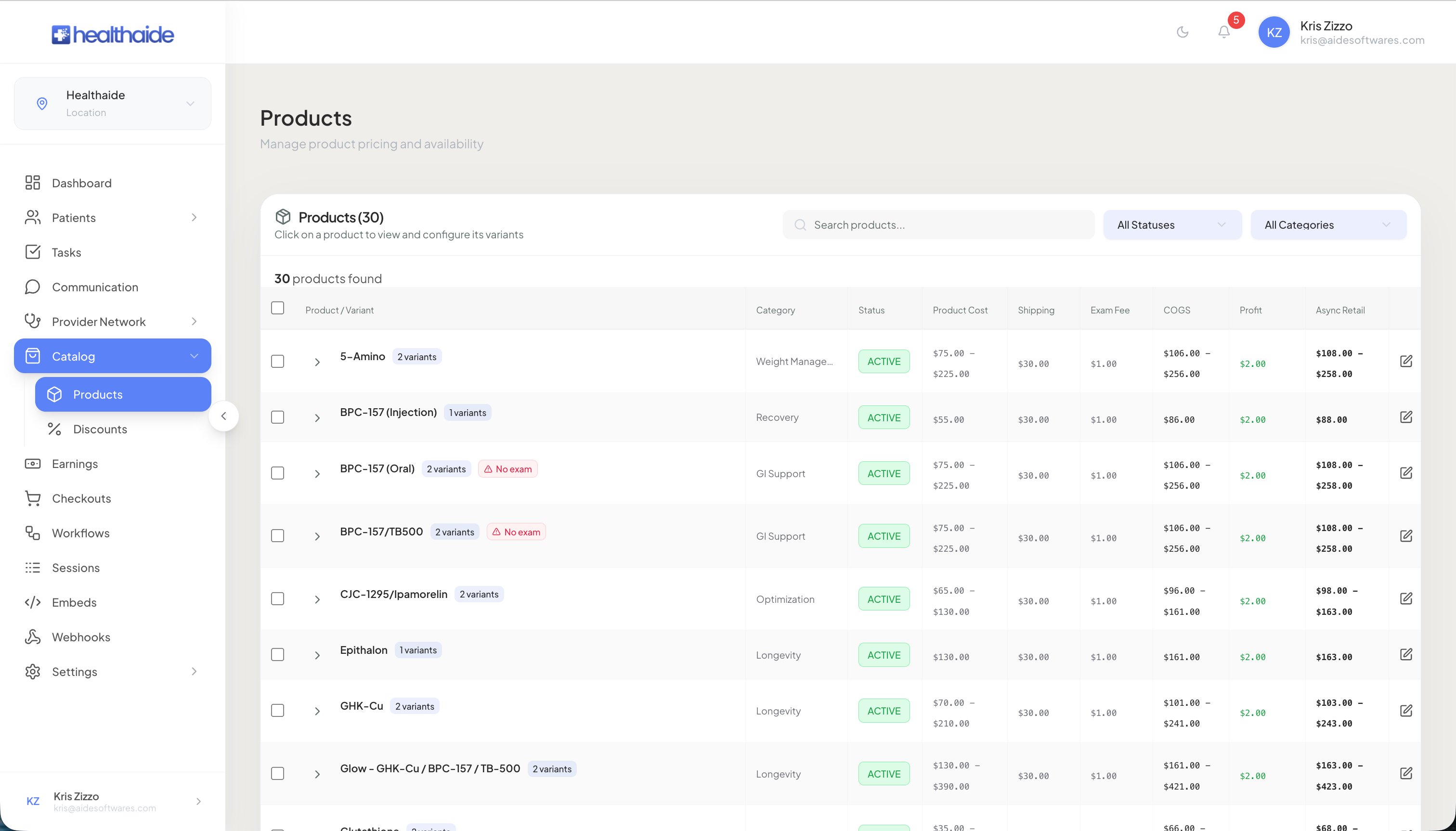
Open the Products page from the left navigation.
02
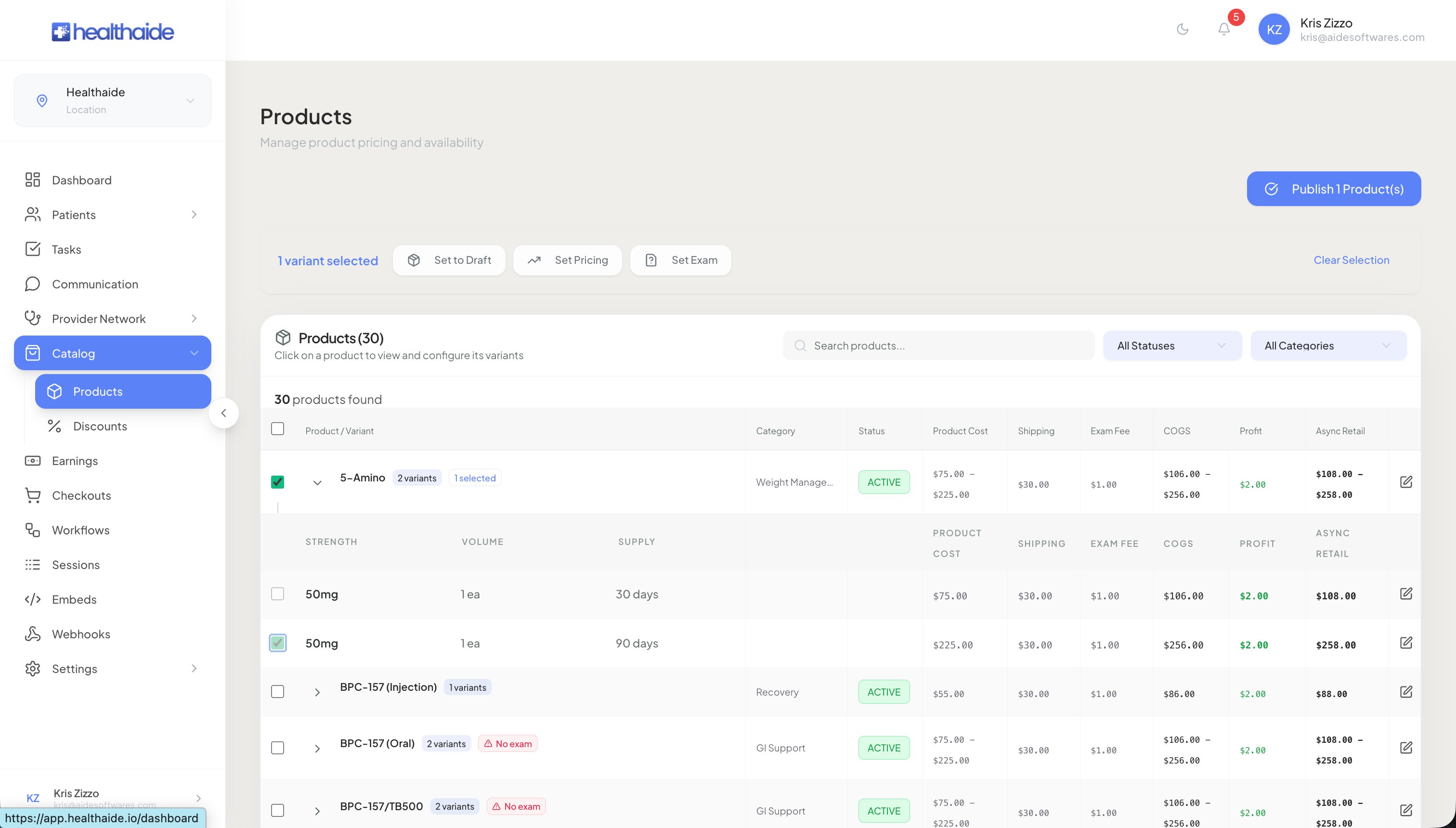
Select a medication, then open its variant from the dropdown. A variant is a version of the medication, for example a 30 day supply or a 90 day supply.
03
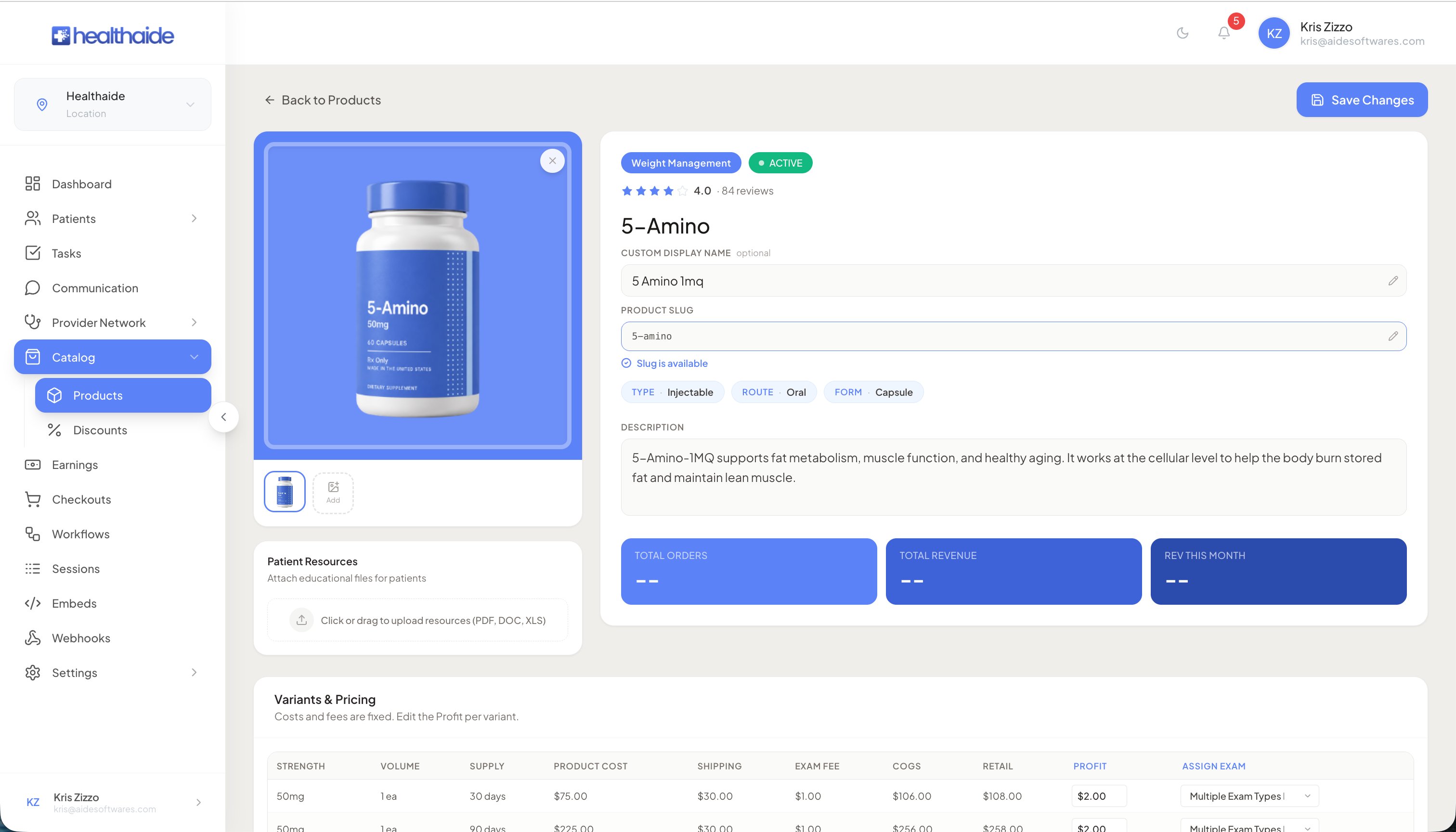
Review the itemized costs. You will see cost of medication, shipping fee, and exam fee, which add up to the total cost of goods sold.
04
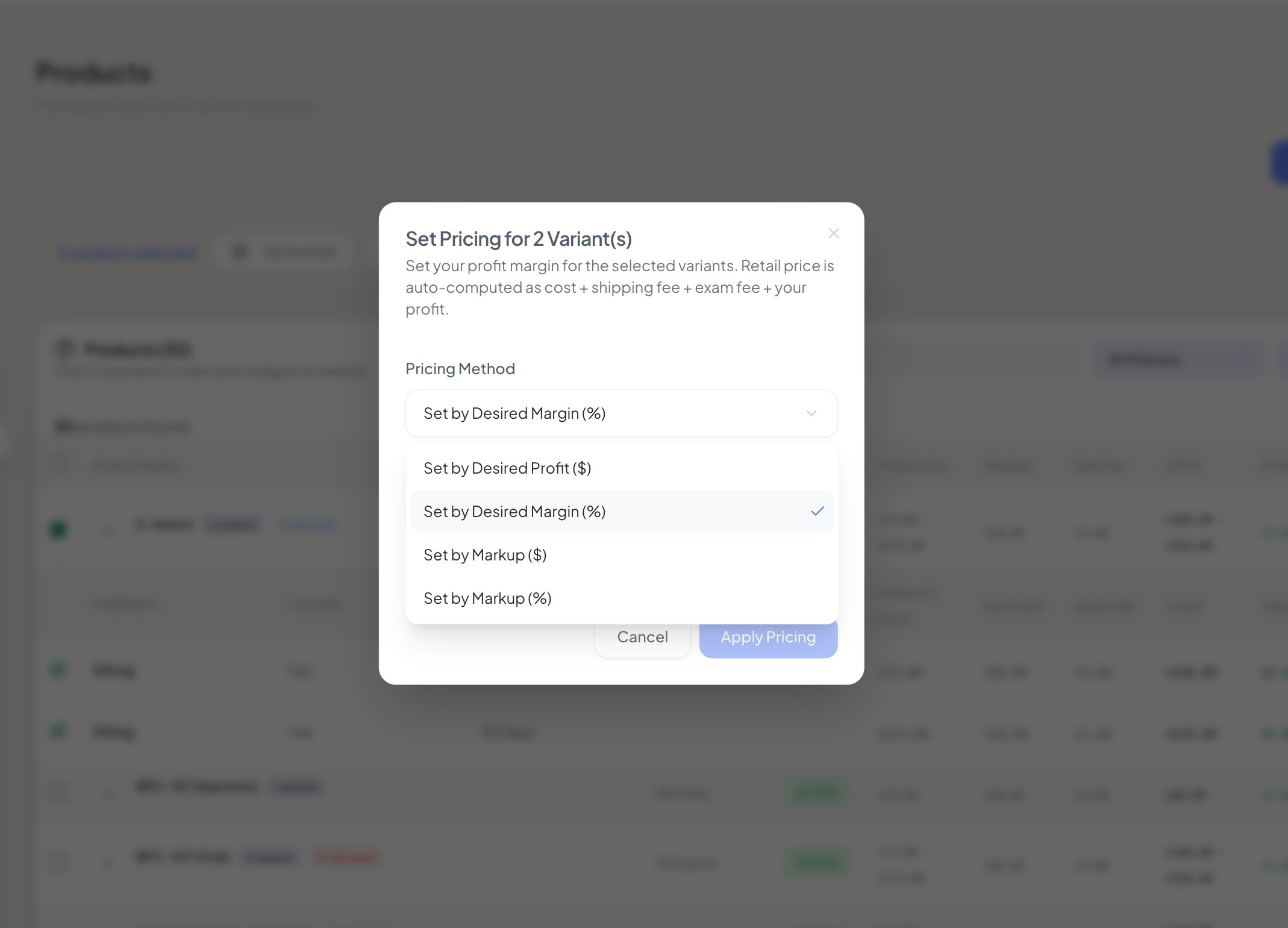
Set your price using one of four methods. Set by margin, set a fixed profit amount, add a markup amount, or add a markup by percentage.
05
Confirm the profit figure. The profit column is what goes into your account. Healthaide does not take a percentage of your markup.
06
Save the variant, then publish the product so the new price shows in the patient portal. Repeat for each variant and medication.
Note
Any discount you offer comes out of your profit column, not out of the cost of goods sold.