⌘K
Help

Transfer account ownership

SOPGetting Started and Account AccessUpdated Jun 18, 2026

Only the current owner can transfer ownership, and the recipient must already be an admin. Make owner from Staff and Permissions.

Only the current owner can transfer ownership.

The person receiving ownership must already be added as an admin.
00
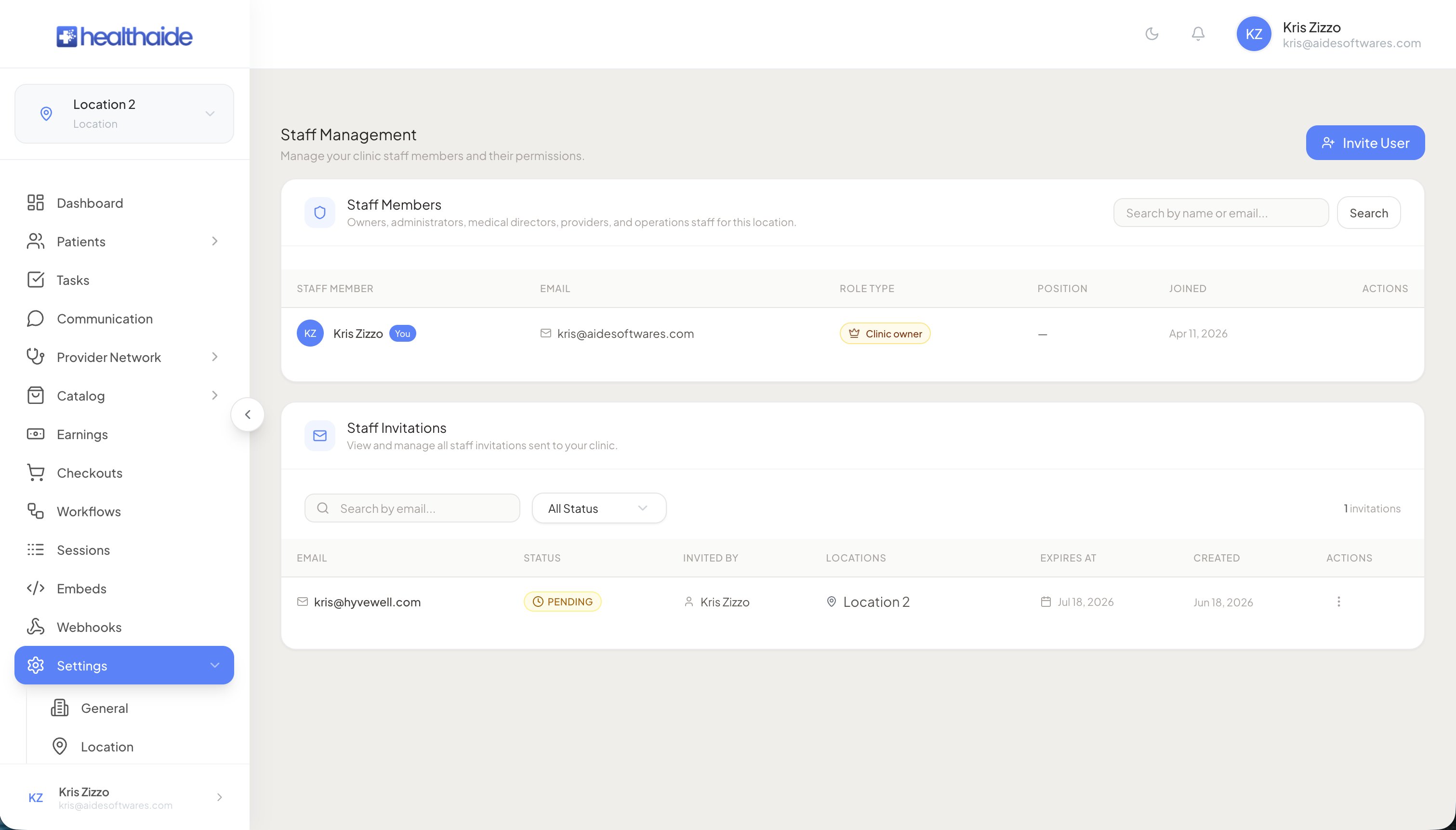
Open Staff and Permissions from the settings area.
00
Find the admin who will become the owner.
Staff Management page showing the staff members table with role type column
00
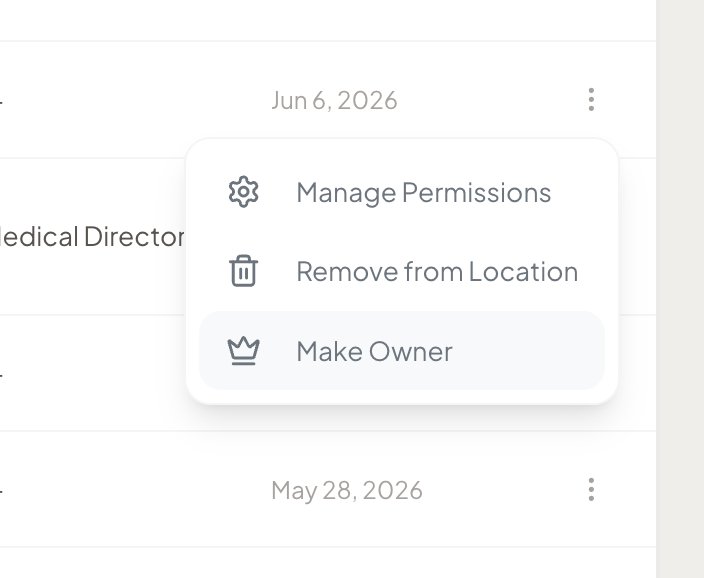
Select Make owner for that person.
Three-dot action menu showing Manage Permissions, Remove from Location, and Make Owner options
00
Refresh the page to confirm. If it does not update, sign out and sign back in.

Note

Keep the Healthaide team in your account as a safeguard so support can step in if you run into an access issue.

Healthaide
Healthaide

Ask Healthaide

Knowledge base assistant

Healthaide

Hi, I am your Healthaide assistant.

You are reading "this article". Ask me about this article, or anything else about the platform.

AI generated, verify important detailsPowered by Healthaide AI